What it does
One tool for the whole event, not six.
-
A website for every event
Its own address, its own colours and logo, a front page you arrange yourself.
-
Call for proposals
Teachers send in sessions. Reviewers score them blind. You accept with one click.
-
A schedule that builds itself
Rooms, time slots and tracks, with clashes caught before anyone prints anything.
-
Registration and seats
Fees, free staff domains, seat reservations and waitlists that fill themselves.
-
Sign-in and badges
Scan a code, print a badge. It keeps working when the building's Wi-Fi does not.
-
Certificates and reports
Contact hours for every attendee, session feedback, and a spreadsheet of everything.
 The iPhone app
Your event, in your pocket.
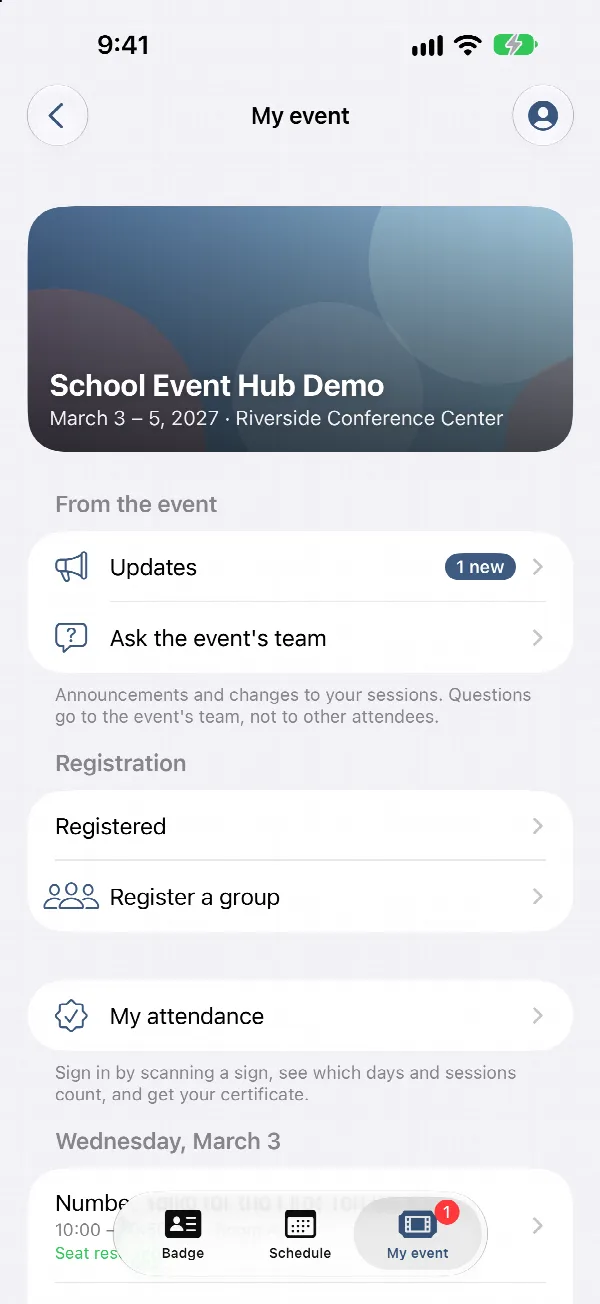
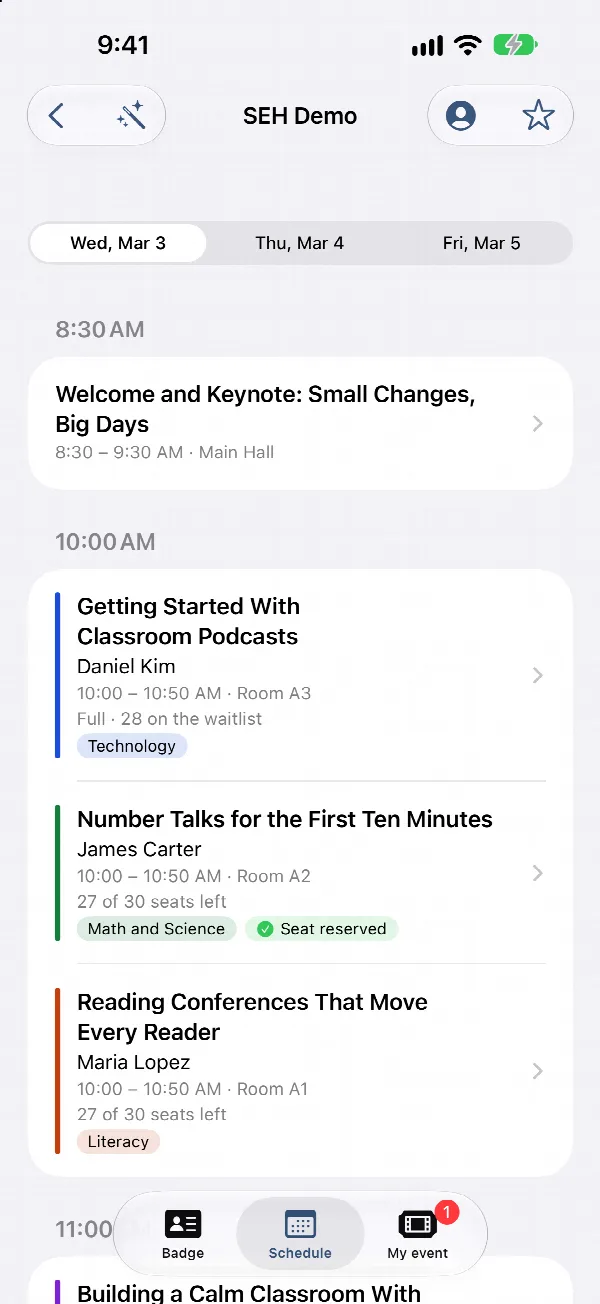
Attendees, presenters and exhibitors carry the whole day on their phone. Sign in with the same account as the website; it's free.
- Your badge, ready at the door Show it at check-in, or keep it in Apple Wallet.
- The whole schedule Every session, room and open seat. Star the ones you want, and it builds your day.
- Updates as they happen Room changes and announcements arrive as notifications. Questions go straight to the event's team.
- Attendance that counts itself Scan the sign at a session's door, and your certificate keeps track.

On a computer?Scan this with your iPhone's camera.
From the first idea to the last certificate.
-
1 Before
Open the call for proposals, build the schedule from what you accept, and open registration on the day you choose.
-
2 On the day
People sign in from their phones or at the desk, find their rooms, and find one another in the directory.
-
3 Afterwards
Feedback comes in, certificates go out, and next year starts as a copy of this one.